

分类
标签



Jordan Hipwell
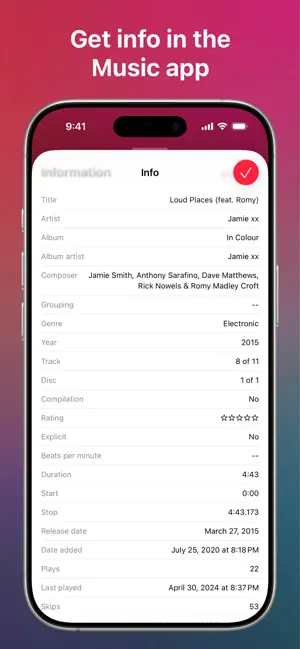
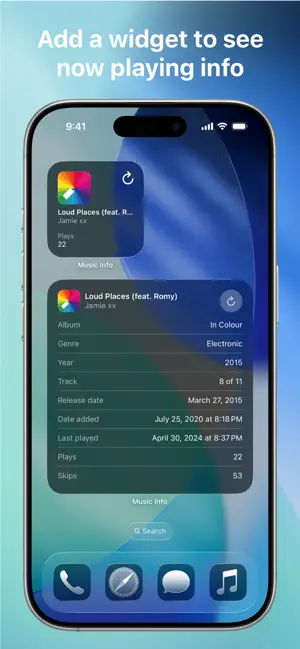
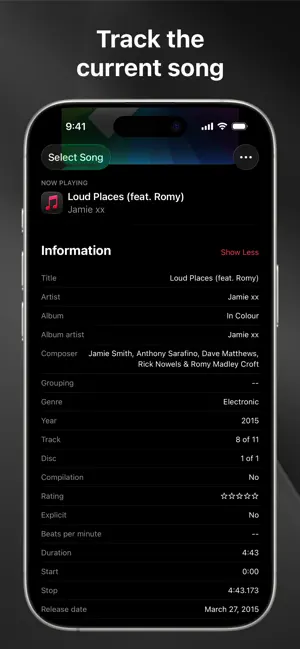
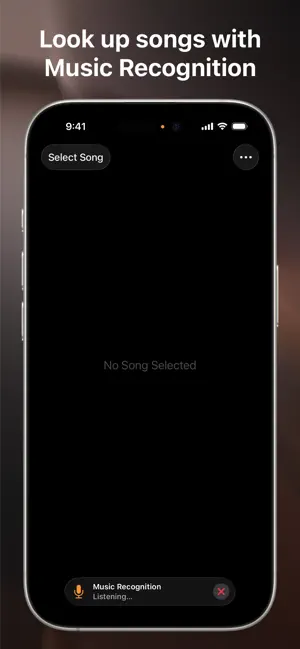
Music Info allows you to view information about songs in your library, including play count, skip count, release date, date added, album artist, composer, genre, year, comments, lyrics, and more.* "Apple's Music app on macOS surfaces all kinds of information about the songs you're listening to … But for reasons unknown, that isn't the case with the iOS version of Music. But as Apple likes to say, there's an app for that." —iMore Convenient ways to view info Open the app to see the song that’s currently playing in the Music app, and it will automatically update when the song changes Select a song from your library Look up a song using Music Recognition powered by Shazam Drag and drop a song from Music into the app Get info directly in the Music app from the share sheet — yes, this app adds the missing Get Info button! Add the widget to view info about the song currently playing in the Music app, and edit it to customize which song properties are visible — available for your Home Screen, iPad lock screen, CarPlay, and StandBy More features Reorder or hide information Tap and hold to copy information or artwork Select words in lyrics to look up, translate, copy, or share Play the selected song in the app Light and dark mode App Shortcuts Home Screen quick actions Menu bar, keyboard shortcuts, and multiple windows on iPad No ads, no tracking, no subscriptions How it works The Music app, like iTunes before it, saves metadata for each song you have in your library. Music Info reveals this information that otherwise isn’t accessible on iPhone and iPad. All songs in your library can be accessed in the Music Info app, no matter if they were added via Apple Music, purchased, matched, uploaded, or otherwise synced to your device. Songs in Apple Music that haven’t been added to your library have limited information available. The share sheet action is available when sharing a song in the Music app. Note that only songs that are available on Apple Music can be shared. Music Info will try to look up that song in your library which may require an internet connection. It’s possible it may not be able to find the right song, for example, if you’ve renamed it. If that is the case, you can still use the app to access its information even without an internet connection. Things to note Song metadata cannot be edited on iOS and iPadOS You do not need to be an Apple Music subscriber to use the app Music Info does not work with any third-party music services Lyrics must be added to your songs via Music or iTunes on your Mac or PC Music Info Unlimited View information of 15 songs for free Purchase the full version for unlimited access on all your devices One-time in-app purchase, no recurring payments All available metadata: Artwork Title Artist Album Album Artist Composer Grouping Genre Year Track Disc Compilation Rating Explicit Beats per Minute Duration Start Stop Release Date Date Added Plays Last Played Skips Last Skipped Comments Lyrics