

分类
标签



Shubham Sharma
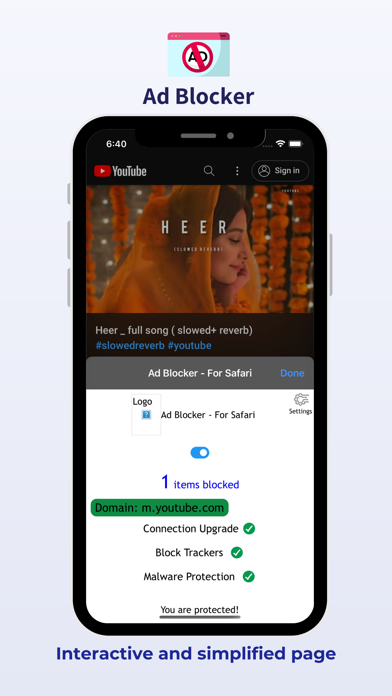
Browse Safari the way it was meant to be: clean, fast, and private. Ads Blocker is a lightweight Safari extension designed to block intrusive ads, popups, trackers, and unwanted web elements across iPhone, iPad, and Mac. With filtering performed directly on your device, Ads Blocker helps you enjoy a cleaner browsing experience without requiring an account or subscription. WHY ADS BLOCKER? FREE WITH NO SUBSCRIPTIONS Enjoy ad blocking without subscriptions, in-app purchases, or locked features. PRIVATE BY DESIGN Ads Blocker does not collect, track, or transmit your browsing history or personal data. Filtering is performed locally on your device using Apple's native Safari content-blocking technology. CLEANER AND FASTER BROWSING Block ads, tracking scripts, banners, and other unwanted content before it appears, helping reduce unnecessary page content and data usage. REDUCE UNNECESSARY PROCESSING Blocking unwanted advertising and tracking content can reduce the amount of content Safari needs to load and process. MODERN INTERFACE A clean, modern interface designed for Apple platforms gives you quick access to protection settings, site controls, and customization options. CORE FEATURES Ad Blocking Block banners, video ads, popups, interstitials, and floating advertising elements. Tracker Protection Block common third-party tracking and analytics resources that follow your activity across websites. Protection Modes Choose from Basic, Optimal, or Complete protection levels and customize protection for individual websites. Custom Element Zapper Remove unwanted website elements, overlays, sticky bars, and other distractions with a tap. iPhone, iPad and Mac Designed as a native Safari extension for Apple's major platforms. HOW TO ENABLE ADS BLOCKER On iPhone and iPad: 1. Open Settings. 2. Tap Safari. 3. Tap Extensions. 4. Select Ads Blocker and enable it. 5. Open Safari and use the extension menu to access available controls. On Mac: 1. Open Safari. 2. Go to Safari > Settings > Extensions. 3. Enable Ads Blocker. ABOUT COGIFY Ads Blocker is developed by Cogify, creating focused and privacy-conscious software designed to make everyday digital experiences simpler, faster, and more enjoyable.