



概览
DocCompare: PDF & Word Compare
EMRE KOTUN
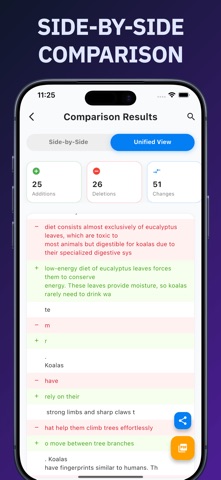
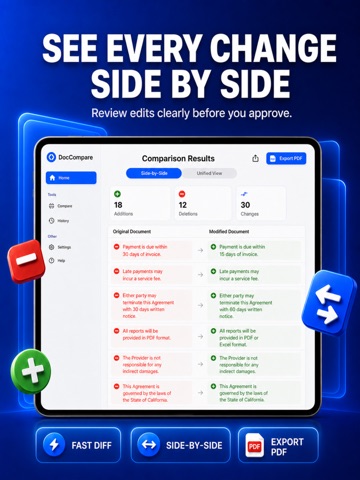
Spot every difference between two documents in seconds. DocCompare highlights exactly what changed between two files — additions in green, deletions in red. Perfect for contracts, essays, reports, legal documents, and code snippets. SUPPORTED FILES PDF (including scanned PDFs via on-device text recognition) Word (.docx) Plain text (.txt) and Markdown (.md) Photos and images of documents (JPG, PNG, HEIC) Or simply paste two blocks of text POWERFUL COMPARISON Side-by-side view with synchronized scrolling Unified view with inline highlights Character, word, or line-level precision Ignore whitespace or letter case Jump between changes, search within results Collapse unchanged lines to focus on what matters Adjustable text size and line wrapping SCANNED DOCUMENTS & PHOTOS Got a scanned contract or a photo of a page? DocCompare reads the text directly on your device using Apple's text recognition — nothing is ever uploaded. EXPORT & SHARE Printable PDF comparison report Shareable image snapshot Plain-text change list HISTORY Every comparison is saved on your device. Search past comparisons, pin the important ones, and reopen any result with one tap. PRIVATE BY DESIGN All processing happens on your iPhone or iPad. Your documents never leave your device — no uploads, no servers, no accounts. IN YOUR LANGUAGE Fully localized in English, Arabic, Chinese, French, German, Italian, Japanese, Korean, Portuguese, Russian, Spanish, and Turkish. DocCompare Premium unlocks unlimited comparisons, full results, history, export, and text recognition for scanned documents. Subscription auto-renews unless cancelled at least 24 hours before the period ends. Manage or cancel anytime in your App Store account settings. Privacy Policy: https://emrekotun.github.io/doccompare_privacy_policy Terms of Use: https://www.apple.com/legal/internet-services/itunes/dev/stdeula/