

分类
标签



Robot Riot UG (haftungsbeschraenkt)
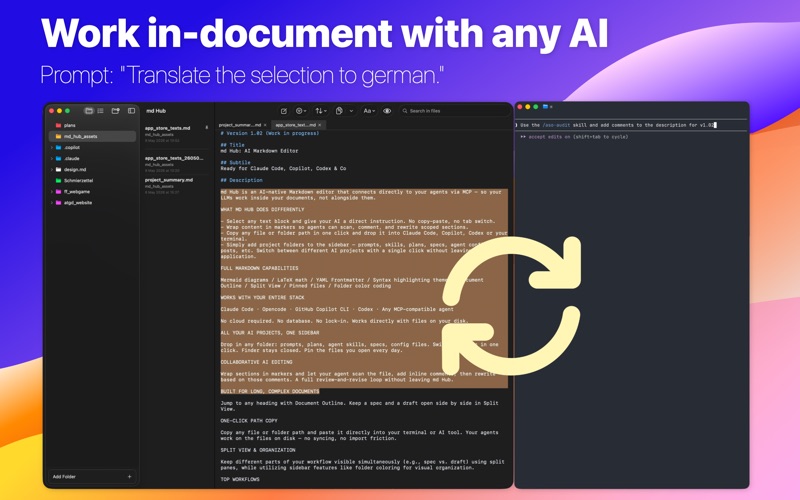
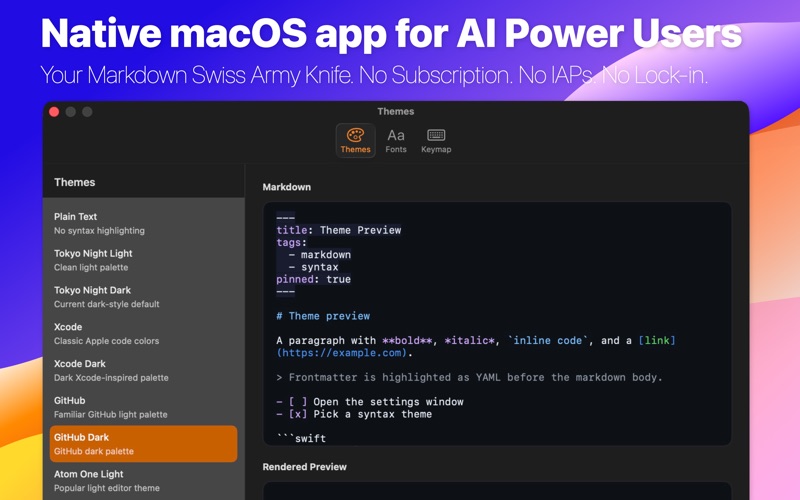
md Hub is an AI-native Markdown editor that your agents connect to directly via MCP, from the terminal or desktop apps. That lets you work on a Markdown file side by side with your AI. Yes, your IDE can basically do this too, but with md Hub you get direct access to all your projects, no matter which folders they live in. WHAT MD HUB DOES DIFFERENTLY Simply add project folders to the sidebar — prompts, skills, plans, specs, agent configs, blog posts, etc. Select any text block and give your AI a direct instruction. No copy-paste, no tab switch. Wrap content in markers so agents can scan, comment, and rewrite scoped sections. Copy any file or folder path in one click and drop it into your AI desktop app or terminal CLI. Switch between different AI projects with a single click without leaving the application. md Hub is an AI-native Markdown editor that connects directly to your agents via MCP — so your LLMs work inside your documents, not alongside them. WHAT MD HUB DOES DIFFERENTLY Select any text block and give your AI a direct instruction. No copy-paste, no tab switch. Wrap content in markers so agents can scan, comment, and rewrite scoped sections. Copy any file or folder path in one click and drop it into your AI desktop app or terminal CLI. Simply add project folders to the sidebar — prompts, skills, plans, specs, agent configs, blog posts, etc. Switch between different AI projects with a single click without leaving the application. FULL MARKDOWN CAPABILITIES Mermaid diagrams / LaTeX math / YAML Frontmatter / Syntax highlighting themes / Document Outline / Split View / Pinned files / Folder color coding WORKS WITH YOUR ENTIRE STACK Connect to any MCP-compatible agent. No cloud required. No database. No lock-in. Works directly with files on your disk. ALL YOUR AI PROJECTS, ONE SIDEBAR Drop in any folder: prompts, plans, agent skills, specs, config files. Switch projects in one click. Finder stays closed. Pin the files you open every day. COLLABORATIVE AI EDITING Wrap sections in markers and let your agent scan the file, add inline comments, then rewrite based on those comments. A full review-and-revise loop without leaving md Hub. BUILT FOR LONG, COMPLEX DOCUMENTS Jump to any heading with Document Outline. Keep a spec and a draft open side by side in Split View. ONE-CLICK PATH COPY Copy any file or folder path and paste it directly into your terminal or AI tool. Your agents work on the files on disk — no syncing, no import friction. SPLIT VIEW & ORGANIZATION Keep different parts of your workflow visible simultaneously (e.g., spec vs. draft) using split panes, while utilizing sidebar features like folder coloring for visual organization. TOP WORKFLOWS AI In-Document Co-work: Work side-by-side with your favorite LLMs directly inside the editor via MCP. Simply select text in any Markdown file and use prompt commands like "Translate this to German" or "Challenge this idea and provide critical comments." This removes context switching friction—no copy/pasting required for AI interaction. Brainstorming via nested comments: Use the commenting workflow to iterate on documents collaboratively with AI. Ask the agent to "Review this marketing plan draft and add detailed improvement comments," then follow up by asking it to "Rewrite based on my provided comments."