

分类
标签



Mavlyud Saidov
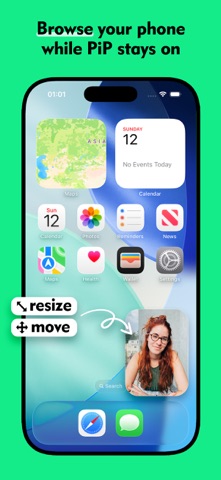
Show your face on screen while you record anything on your iPhone or iPad. PIPCam puts your camera in a floating Picture in Picture window that stays on top of every app. Start screen recording, and your face is right there in the video — perfect for tutorials, app demos, walkthroughs, reactions and explainers. HOW IT WORKS Open PIPCam and tap the Picture in Picture button. Open Control Center and start Screen Recording. Use any app — your camera floats on top. Tip: long-press Screen Recording and turn on the microphone to record your voice. FEATURES Floating camera window over any app Front and back camera, switch with a tap or a double-tap Pinch to zoom up to 3× Mirror the front camera, or show yourself as others see you Aspect ratios: Full, 1:1, 2:3, 3:4, 4:5, 9:16 Remembers your settings Modern Liquid Glass design MORE WAYS TO USE IT Keep a small live mirror on screen, check your framing before a call, or keep an eye on yourself while you present. FREE TO TRY Get 3 minutes of Picture in Picture for free. Unlock unlimited use with a single one-time purchase — no subscription, no ads.