

分类
标签



Joseph Granados
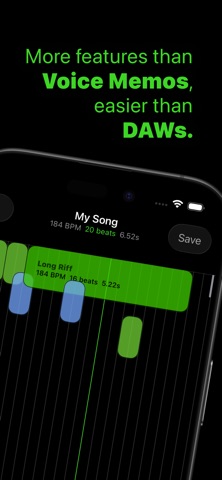
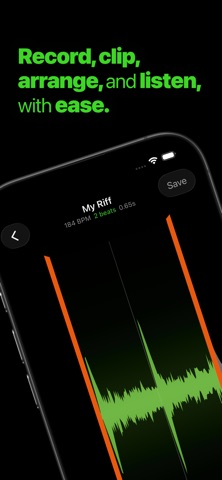
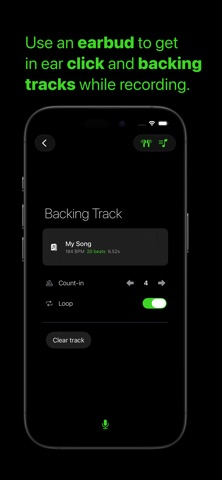
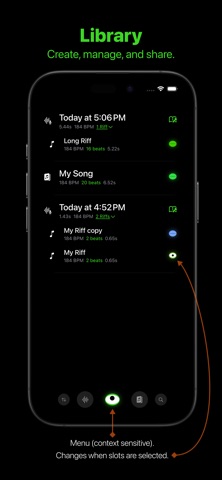
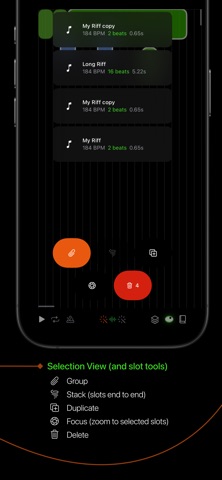
Record, clip, arrange, and listen, with ease. Capture your instrument or voice as ideas come and explore how they fit together with an efficient tempo first approach to audio clipping, arranging, and low latency mixing. Practice a part with in earbud click and backing track options. Whistle a tune and loop it in any arrangement you want. When you're happy with the sound, export your creations through sharing. Explore: Library: filter, sort, manage, share, and preview all your creations Recorder: capture audio while optional metronome clicks plus backing track play in headphones Editor: make Riffs - clip audio to exact beats Canvas: arrange Riffs and Arrangements over beat lines Concepts: Audio: imported or recorded to be used in Riffs Riff: Clipped audio Arrangement: Musical slots arranged on a 10 minute canvas of beat lines (Arrangements can be nested within other Arrangements) Slot: either a Riff or a Arrangement Low Cut: removes low frequency noise that makes mixes muddy Features: Low latency playback - preview anything you create, quickly Duplicate Riffs share a single audio source - make multiple Riffs from a single recording without storage penalties Tools for metadata management - use tags to stay organized Metronome clicks in headphones while recording - get your timing right Backing track in headphones while recording - follow an Arrangement or practice a song Auto level of recording gain by default, with a target of −23 LUFS Default recording low cut of 30 Hz TOOLS Sort Audio filter Eye Button (context sensitive): (No slots selected) Create Empty Arrangements Create Riffs Settings Support (can be disabled in iOS settings) (One or more slots selected) Arrange: start a new Arrangement with the selected slot(s) Duplicate Share Tag Delete Arrangements filter FIlter Recorder: Set BPM Toggle headphones Configure backing track with count-in and loop settings Record from bottom mic with no audio processing Editor: Adjust Clip Boundaries Play Loop (toggle) Metronome (toggle): BPM can be changed in the Book tool Snap to Leading Beat (toggle): leading clip edge snaps to beat lines Snap to Trailing Beat (toggle): trailing clip edge snaps to beat lines Focus: zoom to the region of selected slots Adjust Gain and Low Cut Book: edit metadata: name, start, end, gain, low cut, BPM, color, and tags Canvas: Rectangle Select (long hold on the Canvas will trigger it) Play Loop (toggle) Metronome (toggle): BPM can be changed in the Book tool Snap to Leading Beat (toggle): slots snap their leading edge to the nearest beat when dragged Snap to Trailing Beat (toggle): slots snap their trailing edge to the nearest beat when dragged Slot Tools: Group (toggle): treat selected slots as a single unit Tornado: arrange selected slots end to end Duplicate: copy selected slots and place copies Focus: zoom to the region of selected slots Delete: remove selected slots from the canvas Library: import Riffs and Arrangements Book: edit metadata: name, BPM, color, and tags CONTACT Questions or feedback? Please contact us at support@riffermadness.app.