

分类
标签



Joseph Morganelli
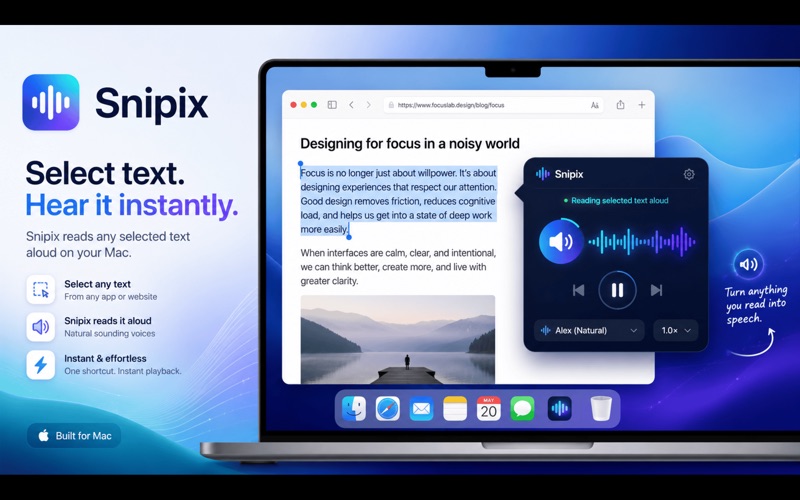
Snipix turns any text on your screen into copyable text. Press ⌥⌘T, drag a rectangle over what you want, release. Snipix OCRs the selection and lands the text on your clipboard. Instantly, on-device, with zero network calls. WHAT IT DOES Drag-to-capture from any window, video, image, or PDF on your screen. Recognizes 16+ languages: English, Spanish, French, German, Italian, Portuguese, Chinese (Simplified and Traditional), Japanese, Korean, Russian, Ukrainian, Arabic, and more. Pick which ones to enable in Preferences. Optional on-device translation via Apple's Translation framework. Auto-detect the source language, or choose explicitly. Swap source and target with one click. File OCR. Drag a PNG, JPEG, HEIC, TIFF, BMP, GIF, WebP, or PDF onto the Preferences drop zone. Plain-text files work too. Continuous capture. Chain multiple selections into one paste. Useful for grabbing scattered text from a slide deck or a video. QR and barcode detection. If the captured region contains a QR code, Snipix returns the payload (URL, contact card, etc.) instead of OCRing the visual. Smart actions on captures. If the recognized text contains a URL, email, phone number, or address, Snipix offers one-click Open, Email, Call, or Show on Map right in the Recents menu. Text-to-speech. Optionally hear your captures read aloud. Great for proofreading translations. Auto-paste. Optionally paste captures directly into the app you were in before pressing the hotkey, with no manual Cmd-V step. Pinned and searchable history of recent captures. Markdown formatter. Detects headings and lists in OCR output and emits clean Markdown. Translate clipboard with ⌃⌘V. Translate whatever's already on your clipboard without re-capturing. PRIVACY-FIRST Snipix makes zero network requests. OCR runs on-device via Apple Vision. Translation runs on-device via Apple's Translation framework. Capture history is stored locally and never leaves your Mac. No accounts. No analytics. No tracking. REQUIREMENTS macOS 15 Sequoia or later. Apple Silicon or Intel Mac. Screen Recording permission (granted on first capture). Accessibility permission (only required if you enable Auto-paste).