

分类
标签



绍龙 朱
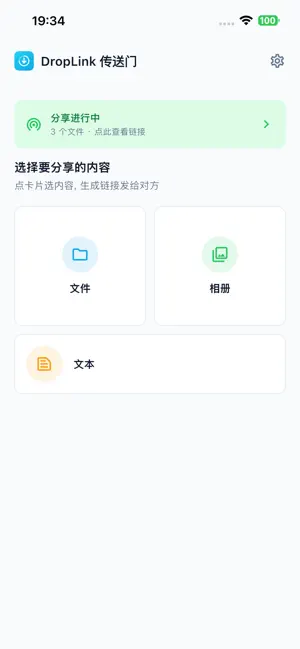
DropLink turns files into a link. You pick, you get a compact URL back, and you forward it. Whoever opens the link uses the browser already on their phone or laptop — Safari, Chrome, whatever. Nothing to install on their side. HOW IT WORKS Choose the files inside DropLink Get back a compact link — its last 8 characters use a clear alphabet (skipping 0/O and 1/l), so the URL is safe to read aloud on a call Forward that link. Whoever gets it needs nothing but a browser. No account for them, no download for them, no "please install this to view." TRANSFER SPEED, TWO WAYS When we detect both sides on one Wi-Fi network, the transfer swaps to a direct peer-to-peer path — you'll see the ceiling your router can hit, not the ceiling your ISP hands you. Different networks? An encrypted tunnel bridges both ends (WebRTC, DTLS-SRTP end-to-end). If the download drops mid-way, refreshing the link picks up at the last byte instead of restarting from zero. Handy for large videos or ISO files on flaky Wi-Fi. NO CLOUD, NO ACCOUNT Files aren't parked on any server. Our relay is a live pipe — bytes pass through in memory, nothing gets kept on disk. Close the share and every trace of the link is gone. No account, no email, no phone number No file content stored on our servers No third-party analytics, no ads Standard TLS 1.3 through Apple system frameworks WHO CAN RECEIVE Whoever you send the link to opens it on: iPhone or iPad — Safari, Chrome, whatever browser is installed Android phone or tablet — same, no DropLink download required Windows PC, Mac, Linux — any modern browser Even a shared library computer works, since the receiver installs nothing SUPPORT Website: https://idroplink.com Privacy: https://idroplink.com/privacy.html Contact: zhushaolong@gmail.com Questions or a weird bug? Write us — we answer.