

分类
标签



Ali Bakhshoude
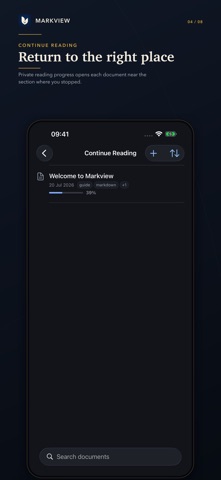
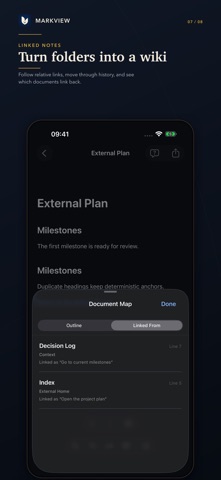
Markview is a private Markdown reader and document workspace for iPhone and iPad. Bring your notes, docs, project wikis, and READMEs into one calm library—or connect an existing folder from Files without copying it. Everything Markview does with your documents happens on device. Rich rendering, done right Syntax-highlighted code blocks GitHub-flavored tables and task lists LaTeX math (KaTeX) Mermaid diagrams All rendered on-device, with no remote renderer and no executable MDX, R, or Quarto code. Read and return Continue Reading remembers your position and progress Fast full-text search with highlighted results Premium Paper, Sepia, Midnight, Glass Light, and Glass Dark themes Dynamic Type, VoiceOver, and iPad multitasking support Build a local document wiki Open a folder from Files as a library without copying it Follow relative document links, headings, and local images Back and forward history plus automatic backlinks Clear reconnect, read-only, and external-change handling Export what you see Searchable rendered PDF, with a print-friendly Paper default Self-contained, sanitized offline HTML with embedded local images Share the original source file at any time Ask this Document—on device Ask one focused question about the open Markdown-family document Always see the supporting source passages Tappable citations return to the exact rendered evidence Apple’s on-device model enhances answers when available; lexical passage search remains useful when it is not No question, answer, or transcript history is stored Organize your way Folders, tags, favorites, and recents Import from Files or open Markdown from any app Light editing, rename, move, and source-aware conflict recovery More Markdown-family formats Open .md, .markdown, .mdown, .mkd, .mdx, .rmd, and .qmd. Preview-oriented formats stay inert: Markview displays their text and never executes components, directives, or code. Private by design No account. No advertising. No analytics. No tracking. No Markview server. Markview never uploads documents or Ask content. A folder you select may still be stored or synced by its own Files provider, and Apple manages any optional on-device language-model assets through system settings.